1
Open a webpage
Browse normally and open the page you want to keep.
Add webpages to your queue as you browse, then turn them into one or more PDFs when you're ready. Keep related pages together, separate them when needed, or create your own custom groups.
You do not have to stop browsing every time you want to save a page. Build your collection as you go and decide how it should become a PDF later.
Browse normally and open the page you want to keep.
Click Add to Page and keep browsing. Pages can come from the same website or completely different websites.
Pick One PDF, Per Page, or Custom depending on how you want the finished documents organized.
Convert the collected webpages into the documents you need, ready to read, share, store, or archive.
Choose the output structure that fits your work instead of rearranging files after the export is finished.
Combine your entire webpage collection into one document. Great for research, references, guides, and anything you want to read or archive as a single file.
Turn every webpage in your collection into its own PDF. Keep documents independent when you want to share, organize, or process them individually.
Decide exactly which pages belong together. Create several groups and turn each group into a separate PDF during the same export.
A closer look at collecting pages, choosing output options, organizing custom groups, and preparing your PDF export.
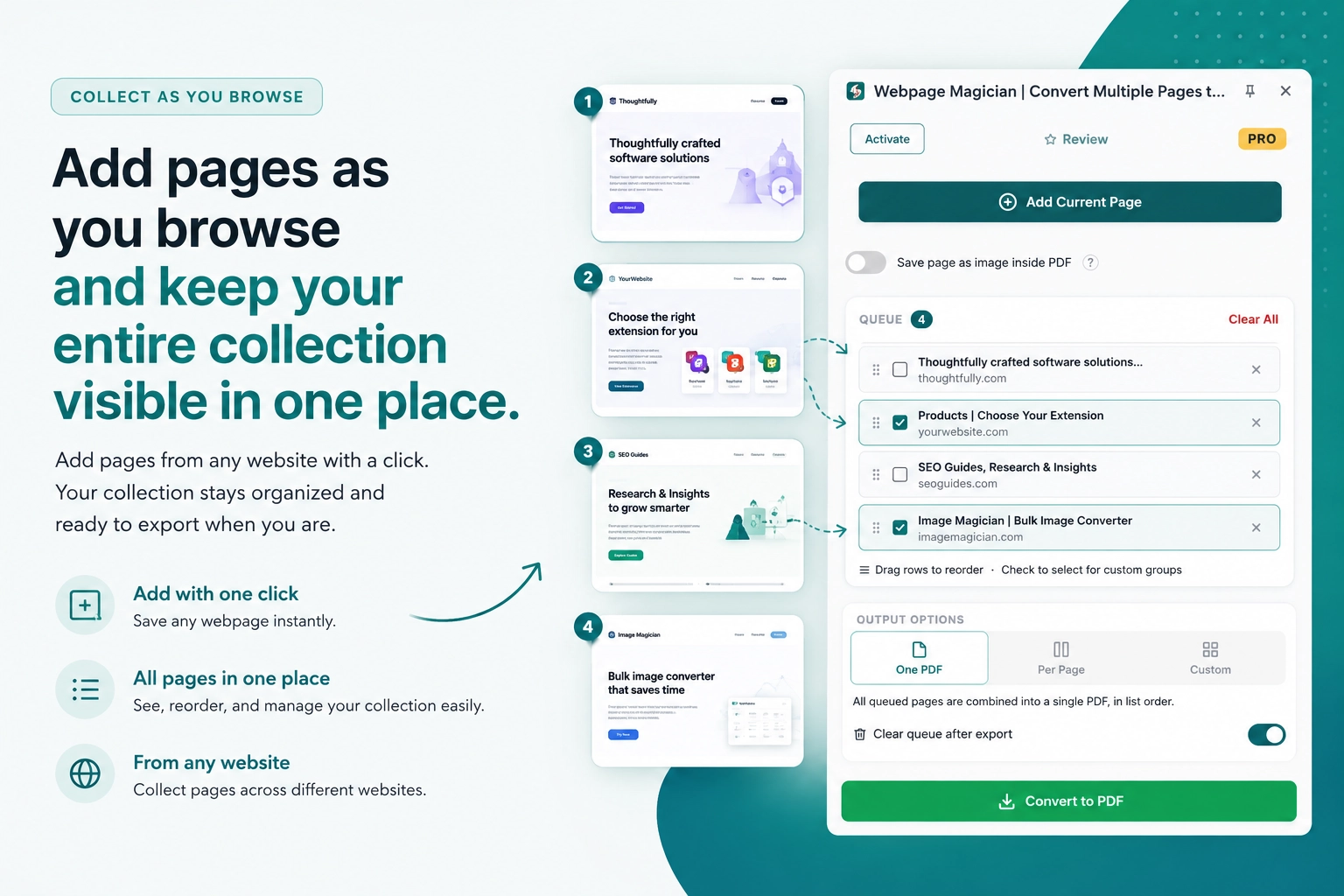
Found something you want to save? Add it with a click. Keep adding pages from different websites and see everything you've added in one queue.
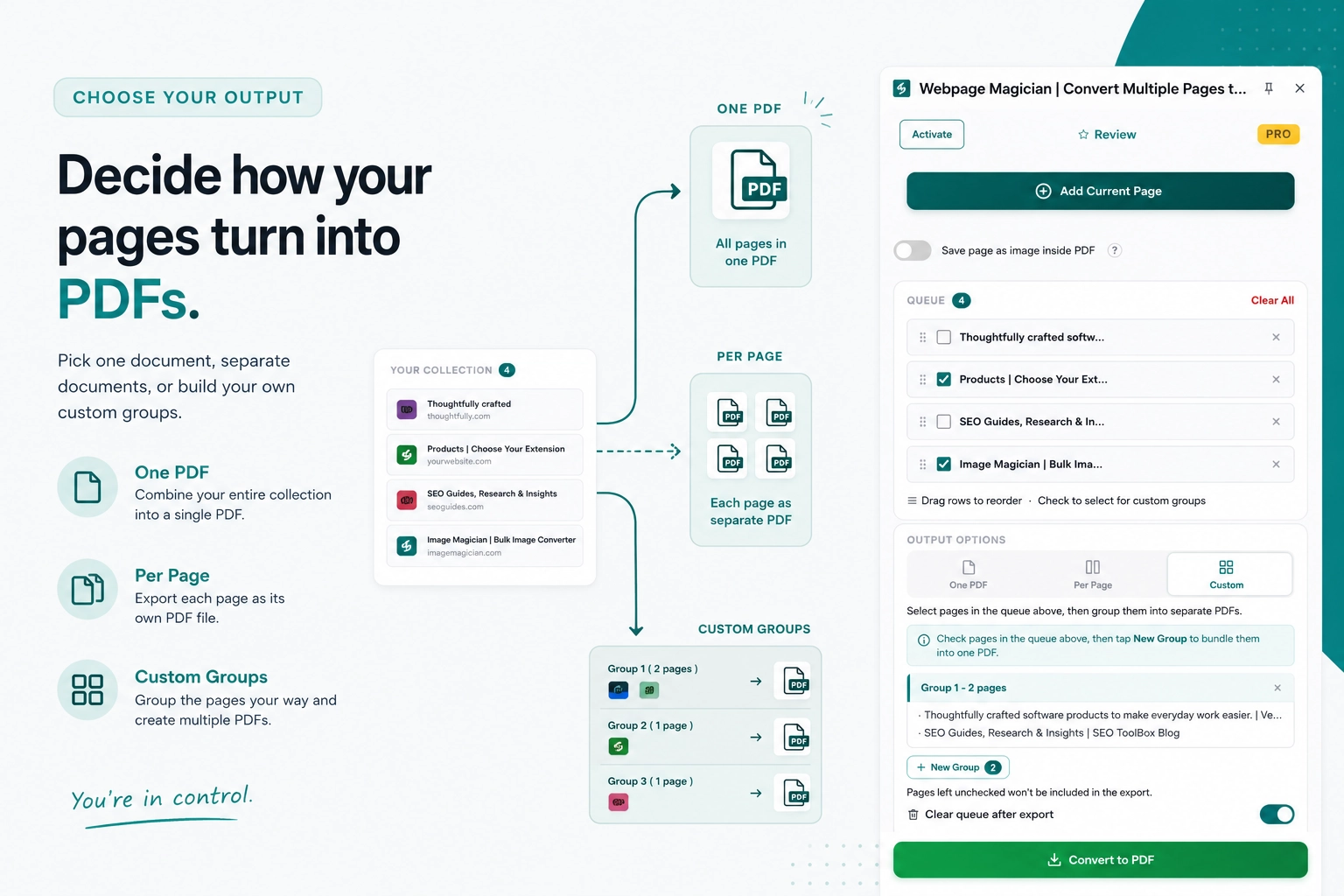
Put all your pages into one PDF, save each page as its own PDF, or pick the pages you want and put them into separate groups.
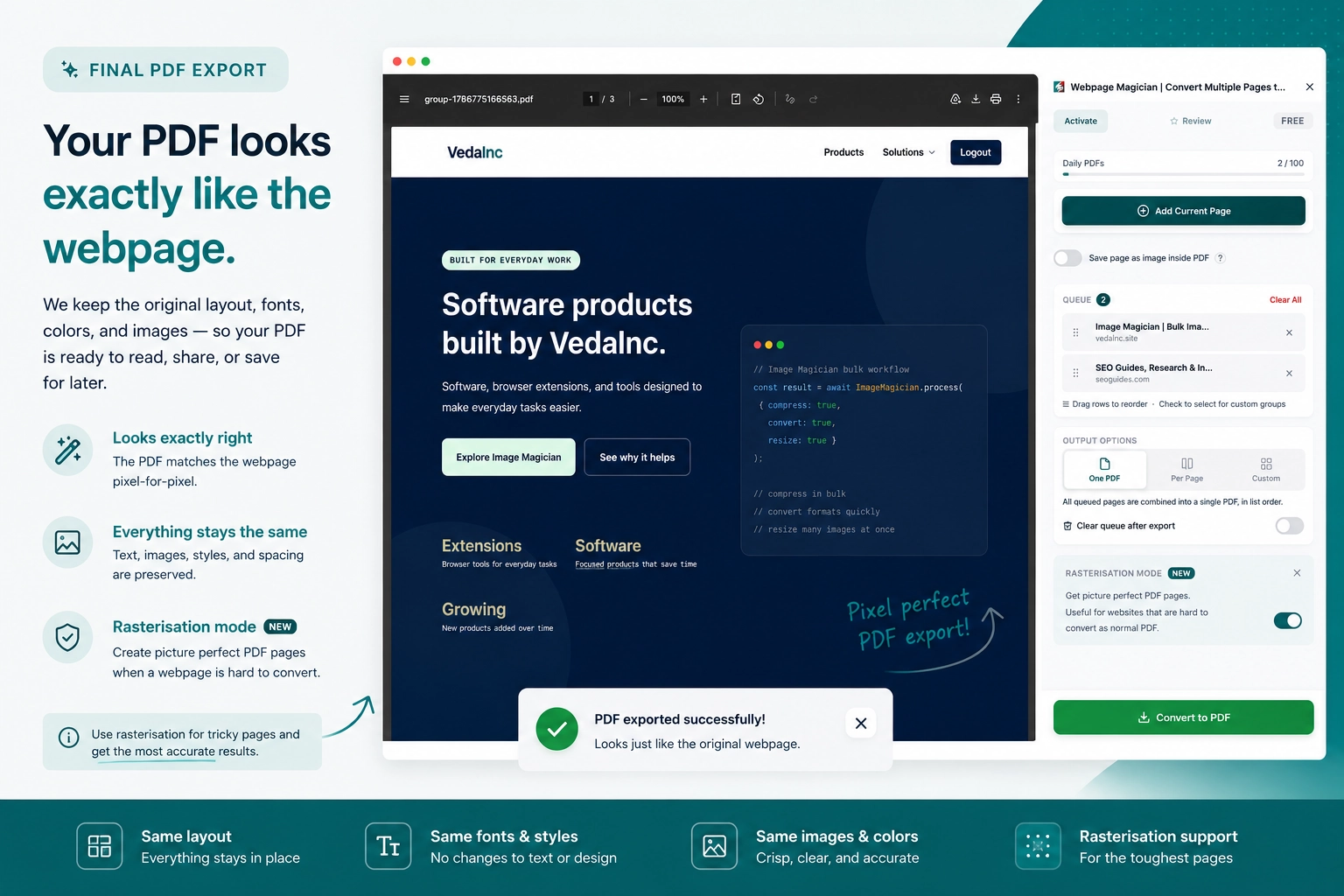
Your PDF keeps the webpage's layout, text, images, and styling. If a page does not convert well normally, turn on Rasterisation to save a pixel perfect version of it.
Flexible PDF controls that let you decide how each webpage should be preserved and exported.
Add webpages from different websites to the same queue and turn them into the PDF documents you need.
Save a pixel perfect visual snapshot of a webpage inside the PDF when a normal PDF conversion does not reproduce the page correctly.
Automatically clear your queue after an export or keep it intact when you want to export the same collection again.
Mix standard text selectable PDFs with rasterised pages in the same export. Rasterisation is controlled per webpage, so you can choose the best method for each page instead of applying one setting to the entire document.
Webpage Magician processes webpage collections and PDF generation locally on your device. The webpages you process and the PDFs you generate are not uploaded anywhere.
PDF processing takes place locally on your device.
Webpages you process are not sent to our servers for conversion.
Generated PDF files remain on your device unless you choose to share them yourself.
The extension does not require an external PDF processing service.
Bring scattered webpages together and turn them into documents that are easier to read, share, store, and revisit.
Don't leave useful information buried in bookmarks and browser tabs. Save the pages you find while researching a topic, combine them into a PDF, and come back to them later, even without an internet connection.
Found a bunch of useful information about a topic and want to give it to an AI? Turn the relevant webpages into PDFs and provide them as context. The AI can then work from the material you've collected instead of relying only on what it already knows or what it can find from search.
Found a webpage you really don't want to lose? Save it as a PDF and keep a local copy on your computer. Read it whenever you want, without needing to find the page again or have an internet connection.
Need to keep a record of webpages for future reference? Add the pages you want to archive, combine them into PDFs, and store them on your computer or cloud drive. Your saved copy stays available even if the original page changes or disappears.
Collect webpages as you browse, choose how you want them organized, and export your finished PDFs when you're ready.
Install Webpage Magician